 ProjMind
Delete your ProjMind account
Last updated: Oct 1, 2026
You can delete your ProjMind account yourself, at any time, from the app or from the website. Deletion takes effect immediately and can't be undone.
1. Delete it yourself
In the ProjMind app (Android or iPhone):
- Open ProjMind and sign in.
- Open the sidebar and choose Settings.
- Scroll to the bottom and tap Delete my account.
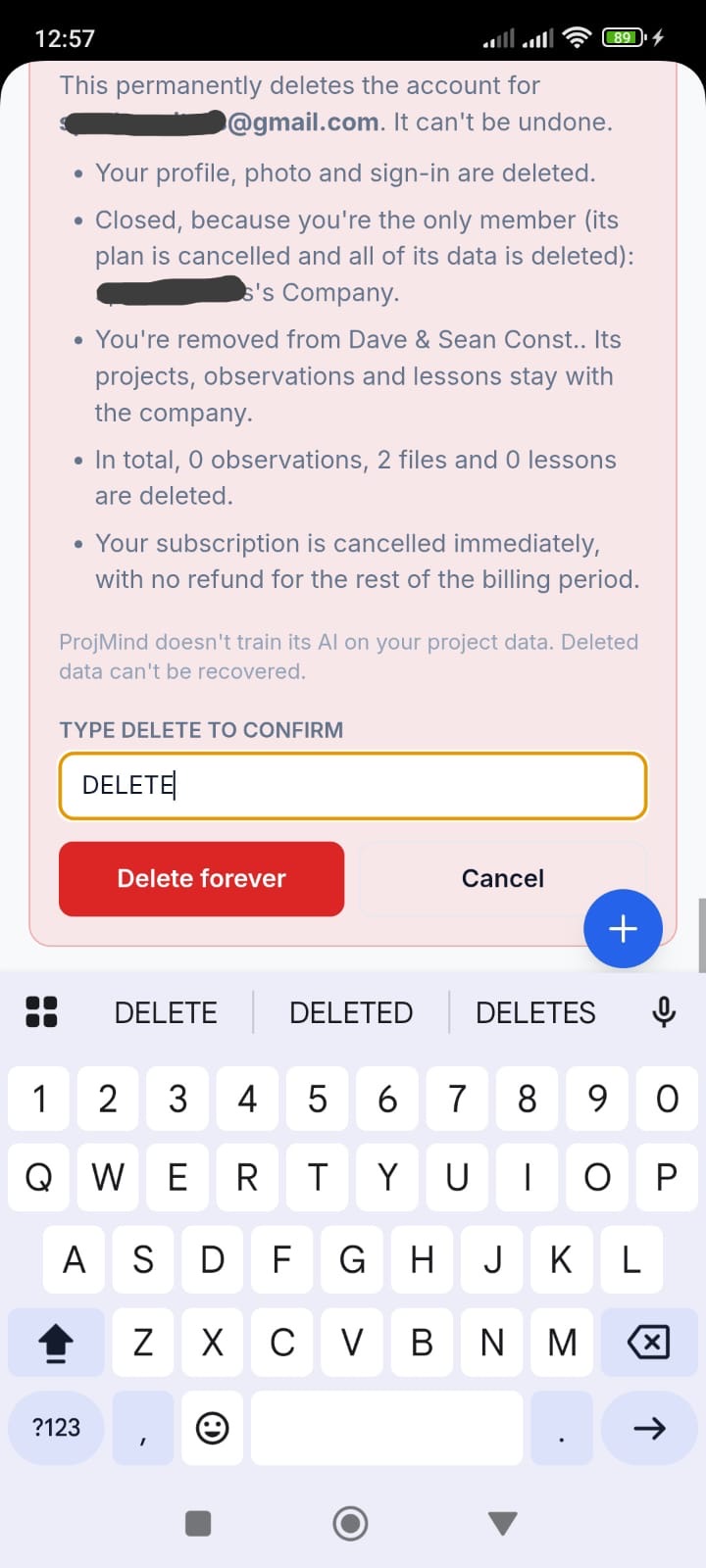
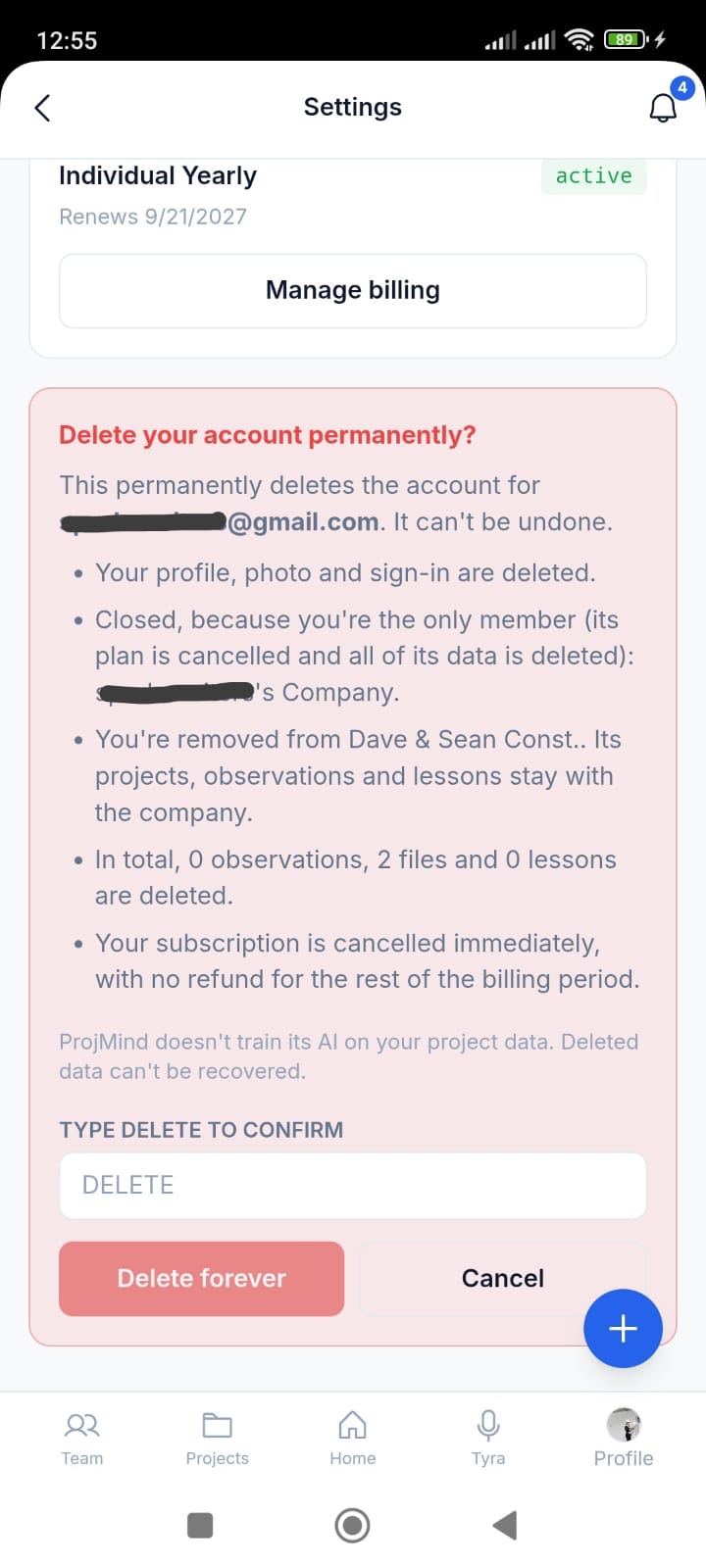
- Read the summary of what will be deleted and what will stay.
- Type DELETE and tap Delete forever.
On the website (no app needed): sign in at www.projmind.ai, open Settings and follow the same steps. This works even if you've uninstalled the app.
2. What is deleted
- Your profile, photo and sign-in. If you signed in with Apple, ProjMind's connection to your Apple account is removed too.
- Your notifications and the push-notification tokens for your devices.
- Your personal projects (projects that don't belong to a company) and everything in them: files, photos, observations and lessons. If other people are active members of one, it is handed to one of them instead of being deleted.
- Any company in which you are the only member: the company, its projects and all of their contents are deleted, and its subscription is cancelled.
- Your subscription, which is cancelled immediately, with no refund for the rest of the billing period.
- The share links you created, invitations you sent that haven't been accepted, and the AI usage and import records linked to you.
3. What stays
- Work in company projects. Projects, files, observations and lessons that belong to a company that continues stay with that company, with your name removed. They are the company's records.
- Company projects you owned are handed to another member of that company.
- Payment records, described below.
4. Payment records we are required to keep
If you ever made a payment, we keep the payment and invoice records (dates, amounts, plan, and the billing name and email) for as long as tax and accounting law requires, up to seven years. These records are held by us and by our payment processor, Stripe. We use them only to meet tax, accounting and legal obligations. They don't include your projects, files or any other content.
5. Backups
Deleted data is removed from our live systems immediately. Any routine backup of our database is kept for no more than 7 days, after which deleted data is gone from it too.
6. When you can't delete yet
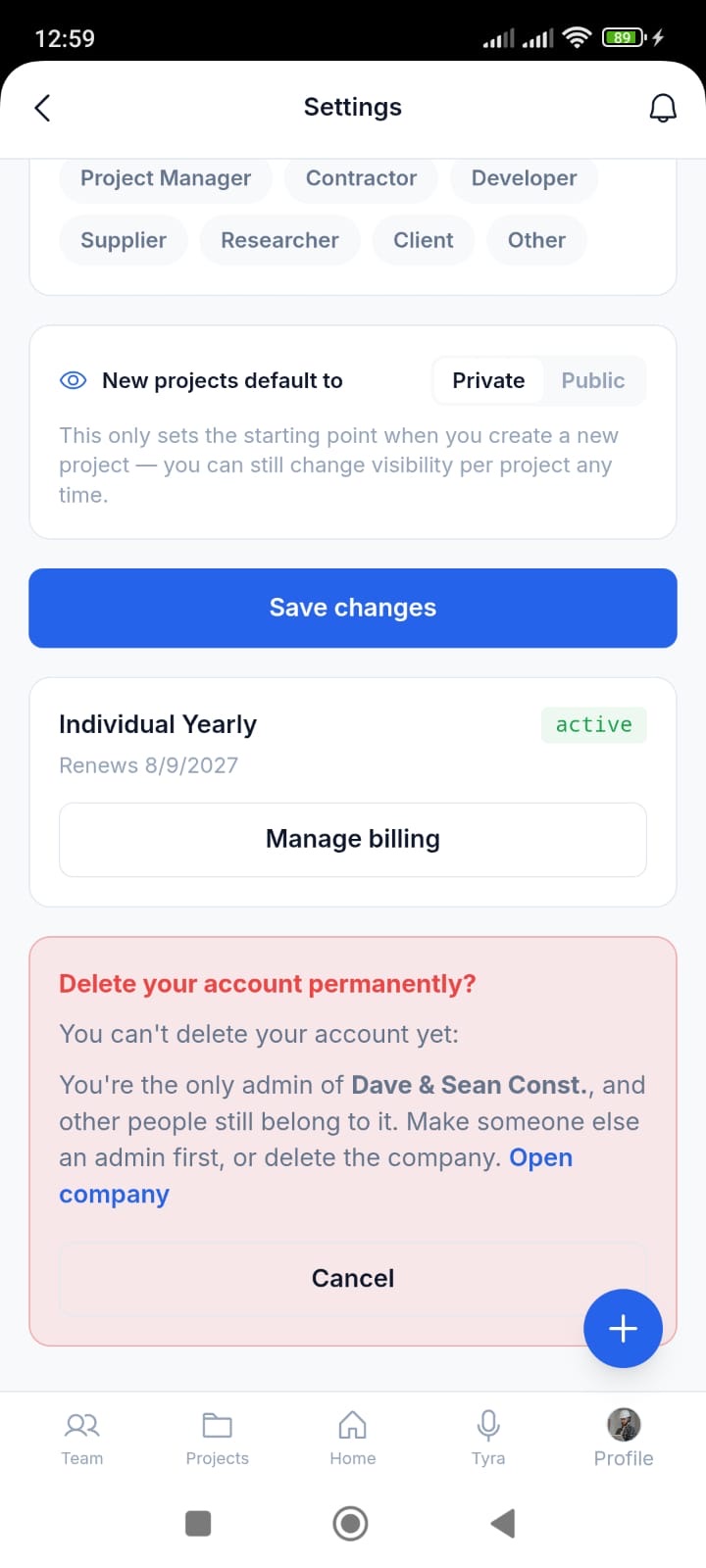
Deletion is blocked in two cases, so a company is never left without anyone to manage it or pay for it:
- You are the only admin of a company that other people still belong to. Make someone else an admin first, or delete the company.
- You pay for the team plan of a company that continues. Cancel the plan from Manage billing first, or delete the company.
7. Can't sign in? Email us
If you can't sign in, email hello@projmind.ai from the address on your account with the subject "Delete my ProjMind account". We may ask you to confirm it's you. We complete verified requests within 14 days.
See also our Privacy Policy.